M365 Bootcamp:
6 Weeks Admin Mastery of
1st Aug to 16th Sept, 2026 In six weeks, you will progress from basic familiarity to confident administration of core Microsoft 365 services, including Exchange, Teams, SharePoint & OneDrive, Azure, Microsoft Defender and Entra ID. Each session is built around real-world administrative scenarios—equipping you not just to understand the platform, but to effectively manage users, secure data, optimize environments, and resolve everyday operational challenges.

Current Cohort
1st Aug to 16th Sept, 2026
Seats Remaining
3 Seats
Registration Deadline
4 Days Left
2026-08-01
6 weeks
Training Duration
1st Aug to 16th Sept, 20262
Practical Labs Weekly
Free Sandbox account5 - 8pm
Saturday, Sunday (UTC+1)
Physical Training SessionsWhat you will learn in 6 weeks
You will gain hands-on experience with Microsoft 365, build practical skills in Exchange Online, SharePoint, OneDrive, Entra ID, Power Platform, and Microsoft Defender. You will also learn how administrators manage users, security, collaboration, and cloud services in real-world environments, and develop a strong foundation for career growth and future Microsoft certifications. View each week for more details.
M365 Fundamentals
Foundations of M365 Administration, Tenant Setup & Configuration, User & Identity Management, Roles & Access Control, License & Subscription Management, Security & Compliance Fundamentals, Monitoring & Reporting, Service Health & Incident Management, Automation & PowerShell Basics
Microsoft Exchange
EAC, Mailflow Rules, User Mailbox and Receipient Management, Security and Protection basics, Email authentication (SPF, DMARC, DKIM), Mailbox Policies and Compliance, Exchange Powershell Scripting
SharePoint & OneDrive
SharePoint Sites & Permissions, Document Management & Governance, SharePoint/OneDrive Administration & Sharing, Security, Compliance & Sync, Automation + Real-world Scenarios

Entra ID
Microsoft Entra ID overview, Tenant Setup & Configuration, Users & Group Management, Authentication Methods & MFA, Conditional Access Policies, Identity Protection & Security, Application Registration & Enterprise Apps, Device Management Integration, Roles & Administrative Units, Monitoring, Auditing & Sign-In Logs, Automation & PowerShell Basics

Microsoft Teams
Foundations of Microsoft Teams, Environment Setup, Teams, Channels & Membership Management, User Management, Licensing & Provisioning, Policies & Compliance, Security & Permissions, Meetings, Webinars & Live Events,Teams Phone, Integration with Microsoft 365 Services, Analytics & Reporting.
Microsoft Defender
Foundations of Microsoft Defender, Environment Setup & Licensing, Microsoft Defender Portal Navigation, Defender for Office 365,Defender for Cloud Apps, User & Device Onboarding, Policies & Security Configuration, Threat Protection & Detection, Incident Management & Response,Integration with Microsoft 365 Services, Analytics & Reporting.
About your Instructors

Akaneno Godwin Ekong
Software Engineer
I work for Microsoft as a Technical Support Engineer with 5 years of experience. I am a seasoned Microsoft 365 administrator with years of hands-on enterprise experience managing Exchange Online, SharePoint, Teams, Entra ID, and cloud security environments for organizations globally. I specialize in simplifying complex M365 cloud technologies for beginners.
My Skills
Quick tweaks 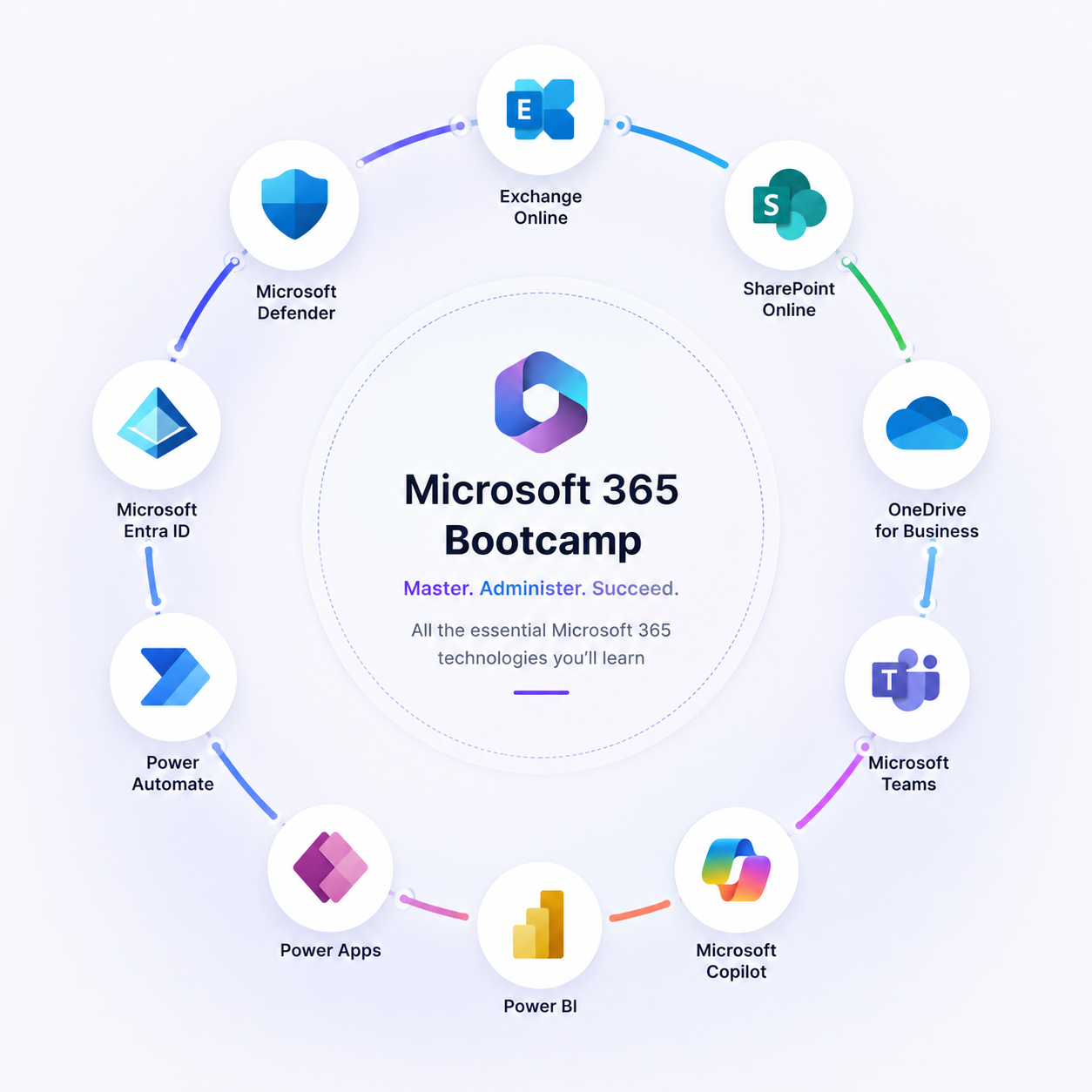
Benefits of joining this Bootcamp?
-
Gain hands-on experience with widely used Microsoft 365 technologies used by organizations worldwide
-
Build practical administrative skills in areas such as Exchange Online, SharePoint & OneDrive, Entra ID, Teams and MS Defender.
-
Understand real-world workplace scenarios and how administrators manage users, security, collaboration, and cloud services
-
Develop confidence working in enterprise environments and modern digital workplaces
-
Create a strong foundation for advanced Microsoft certifications and career growth
Frequently Asked Questions
What is this Bootcamp about?
+
This Bootcamp is a 6-weeks hands-on cloud and Microsoft 365 training program designed to equip students with practical skills in Microsoft 365 Fundamentals, Azure, Exchange Online, SharePoint & OneDrive, Entra ID, Teams and Microsoft Defender for office 365. You will have two practical labs every week. Registration fee costs $50
How do I enroll in the bootcamp?
+
You can enroll through the registration page on the website or by contacting the CloudTweak team directly for enrollment assistance.
Do I need prior cloud experience before joining?
+
No prior cloud experience is required. We start from foundational concepts and gradually move into advanced Microsoft 365 and cloud administration topics.
Is the training practical or theory-based?
+
The bootcamp is Online hosted on Microsoft Teams. Every participant should have a personal Microsoft Account where there will be admitted into every sessions. Training is focused on real-world scenarios, labs, troubleshooting exercises, and enterprise-level Microsoft 365 administration tasks.
Will recordings be available after classes?
+
Yes. Session recordings and learning materials may be provided to enrolled students for revision and continued learning purposes.
Will I receive a certificate after completion?
+
Yes. Students who successfully complete the bootcamp will receive a certificate of completion from CloudTweak.
Will I get access to lab environments?
+
Yes. Students will receive access to practice environments, demo tenants, and guided labs depending on the training module. Test accounts will be created for every registered user.
Do you offer mentorship after training?
+
Yes. We provide guidance, mentorship, career advice, and technical support to help students grow their cloud and Microsoft 365 careers.
Will the bootcamp help me get a job?
+
The bootcamp is designed to improve your technical skills and industry readiness. While job placement is not guaranteed, we provide career guidance, interview preparation, and practical experience to improve employability.
Are there installment payment options available?
+
No. It is a one-time payment that costs $50 USD facilitated by Selar
What is your refund policy?
+
Refund requests are reviewed based on the stage of the training program and the resources already provided. Administrative or processing fees may apply. Students are encouraged to review the refund terms before enrollment.
Can I get a refund after classes have started?
+
Refund eligibility after the commencement of classes may be limited due to access to course materials, recordings, labs, and resources already provided. Kindly go through our refund policy and T&Cs on our footer.
What happens if I miss a class?
+
Students who miss a class can review session recordings and learning materials shared after the session.
What equipment do I need for the Bootcamp?
+
Students should have a reliable internet connection and a laptop or desktop computer capable of running modern browsers and Microsoft administration tools.
Is this Bootcamp affiliated with Microsoft?
+
No. This is an independent training and consulting bootcamp and is not officially owned or operated by Microsoft.
Contact Us
Quick tweaks